A personal project · 2026–Present
Aura
The app I built to work with my AI assistants from my phone.
Aura runs on my own server, and every turn starts a real coding-agent CLI session there. Each assistant in it has an identity, a set of skills, a workspace and its own conversations — one for building software, others for the ordinary parts of life that are easier when something keeps notes.
What I use it for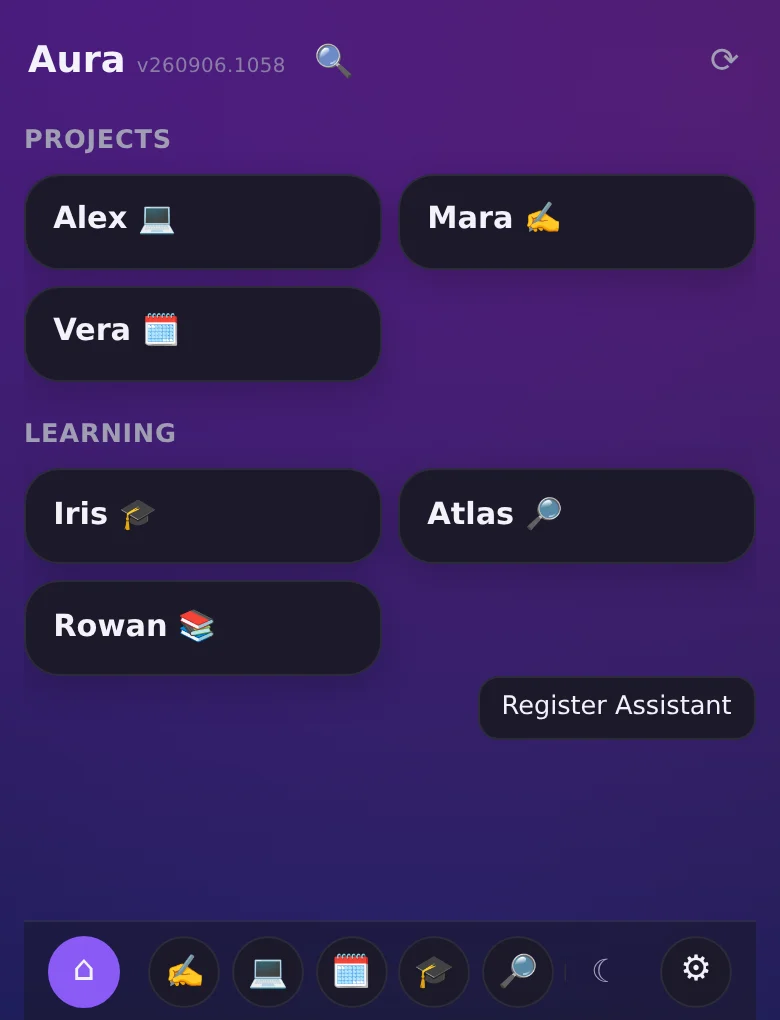
Every screenshot on this page is Aura’s shipped interface filled with demonstration content: invented assistants, conversations and documents, and tool steps recreated rather than recorded from a live run. Open any image to see it full size.
What I use it for: building software, and the ordinary parts of life.
Half of it is engineering. New side projects get started, developed and deployed from a chat, with an assistant working in the actual repository rather than suggesting code I then copy somewhere.
The other half is deliberately mundane: household admin, training and nutrition, keeping an eye on my own finances. What makes those worth having isn’t the conversation — it’s that everything the assistant knows is documents in its workspace. Its notes, the preferences I’ve stated, what we settled on last month, whatever reference material I dropped in. It accumulates, I can open and correct any of it, and the next conversation starts from what’s written down instead of from whatever the chat happened to carry over. Other assistants remember things too; the difference is that here the memory is a folder of files I own, read and edit.
And they start conversations. A recurring job has an assistant open the chat on its own — the weekly review, the follow-up I’d otherwise forget — and a push notification puts it on my phone. Off-the-shelf assistants wait to be asked; these don’t have to.
An assistant is an identity, a set of skills, a workspace and its own conversations.
The identity is a file I write called a soul: voice, priorities, and the judgment I want that assistant to bring. My writing assistant keeps sentences short, keeps my voice, and asks when a fact is missing. My development assistant has a different brief entirely — same platform, different judgment.
Skills are reusable instructions for a specific job: how to draft an update, review a change, or use a particular integration. The workspace is the folder of files that assistant works from, and it can be dedicated or shared with another assistant that has its own, different identity.
Every conversation belongs to one assistant, and stays there. A new task gets a new chat — pinned, active or archived — instead of one long thread that tries to hold everything, and I can search across every assistant’s conversations at once by title or by what was actually said in them.
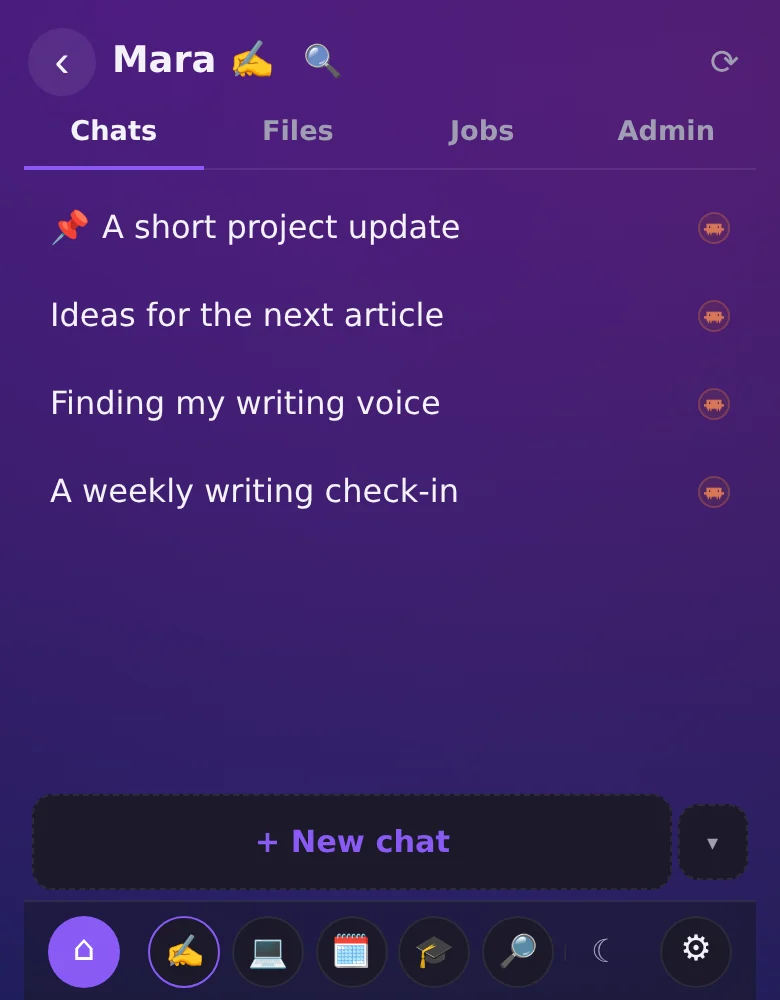
Every turn is a real coding-agent CLI session running on my server.
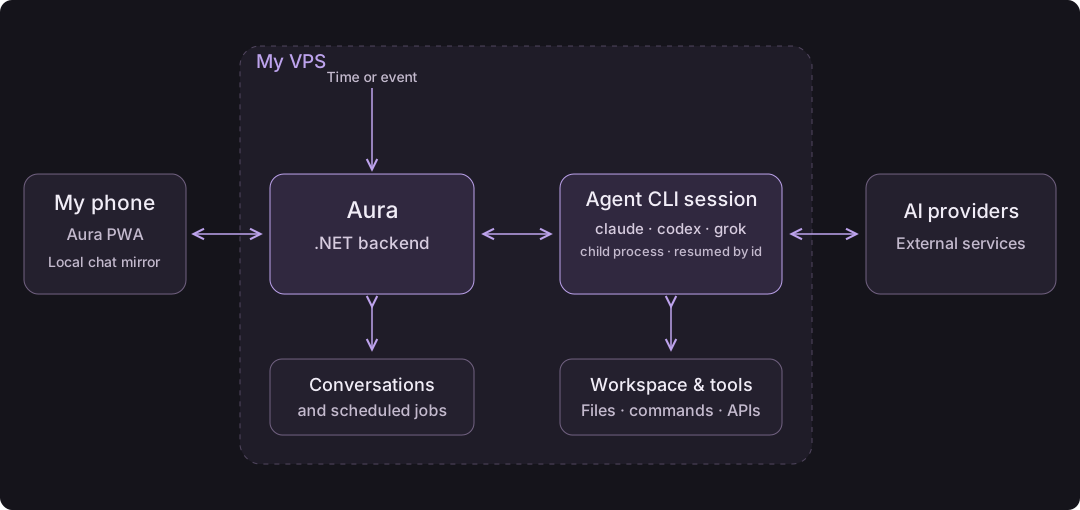
When I send a message, Aura spawns the vendor’s own command-line agent — the same claude, codex or grok a developer runs in a terminal — as a child process in that assistant’s workspace, streams back what it emits, and resumes that same session by id on my next message. Which vendor a chat uses is chosen when the chat is created; the rest of Aura works identically across all three.
That was the deciding design call. A chat API would have given me a model that replies, and left me to rebuild the agentic half myself: file tools, command execution, permissions, session state. Spawning the real CLI means I inherit all of it, and my assistants can do on my server whatever those agents can do — read and change files, run commands, start a service, call my own applications’ APIs — inside the permissions I configure per assistant.
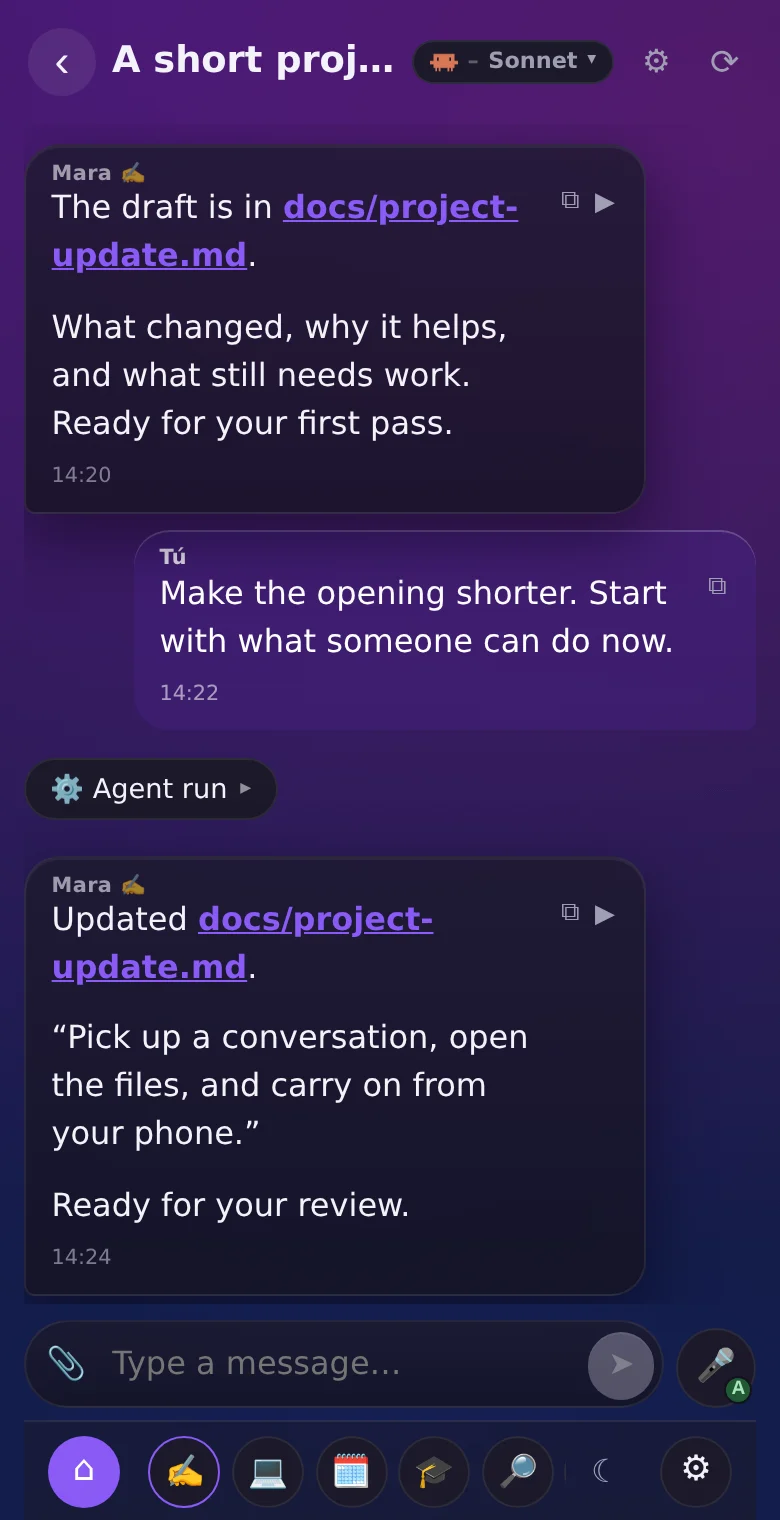
And it stays visible: every step shows up in the chat as it happens, which file was read, which skill was used, what was written. I can expand a run and see exactly what it did rather than trust a summary of it.
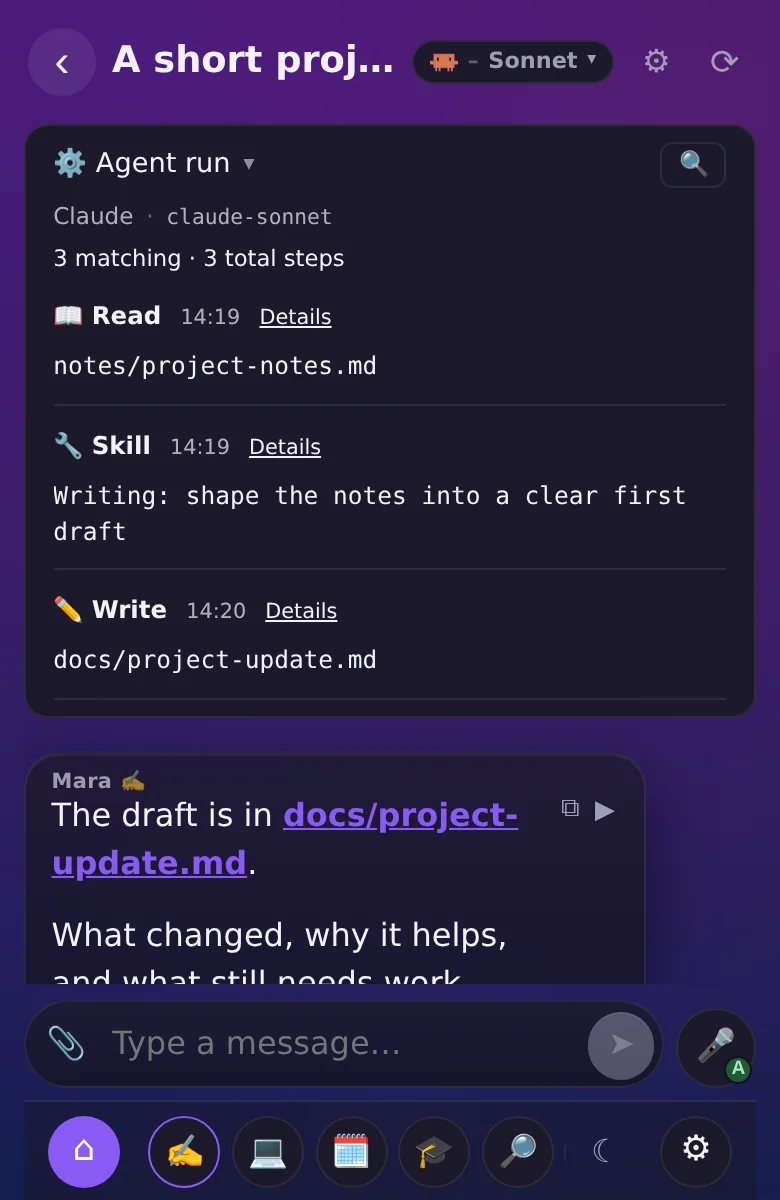
The result outlives the chat: files I can browse, open and edit from my phone.
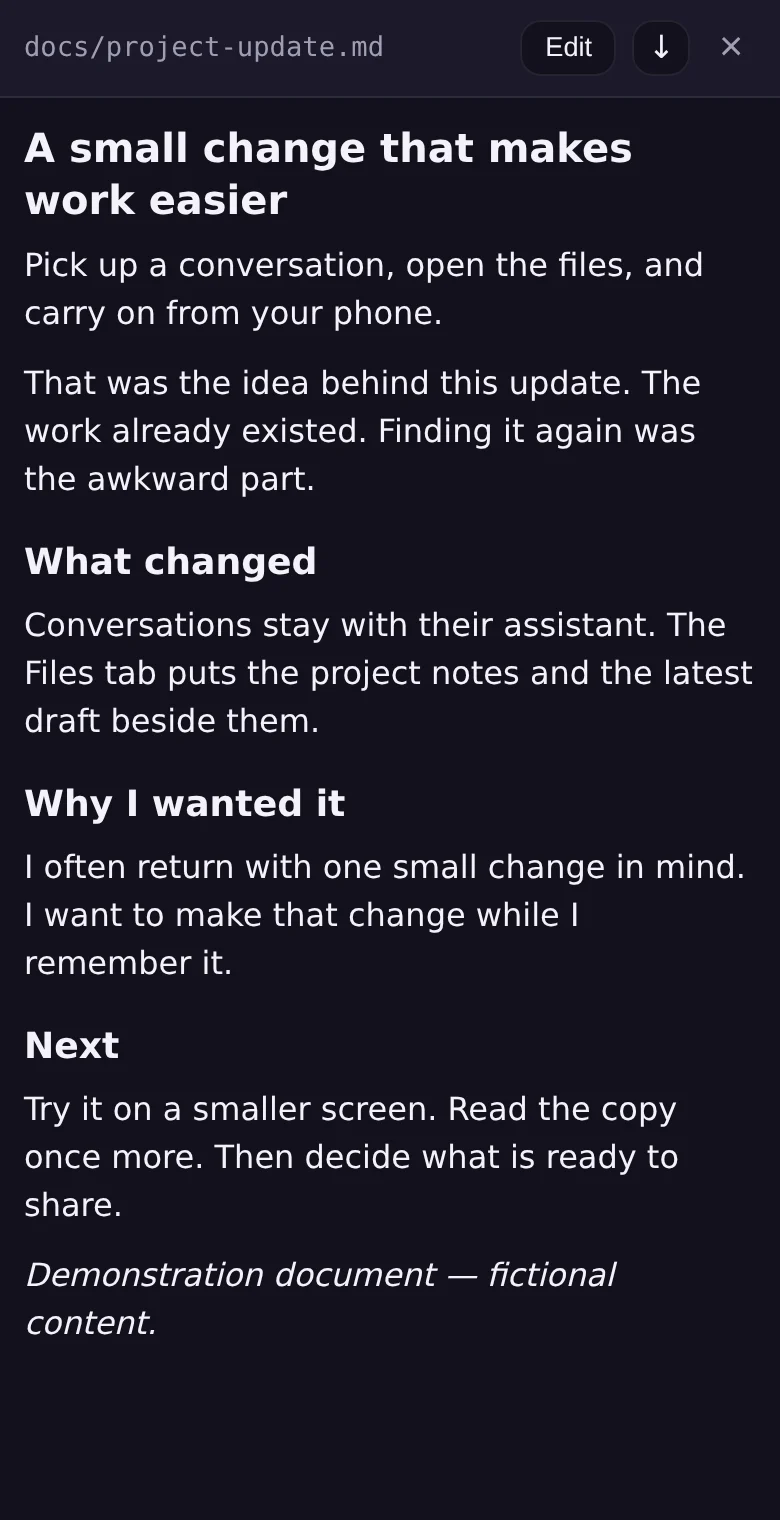
Whatever an agent produces lands in the assistant’s workspace, and Files is where I find it again — a real file browser, not a folder icon in a message. I can open a document to read it, edit it with a small markdown toolbar, or just download it, from the same screen.
A file path an agent mentions in a chat is a live link: tap it and the current content opens without leaving the conversation. I don’t have to remember which message first produced it.
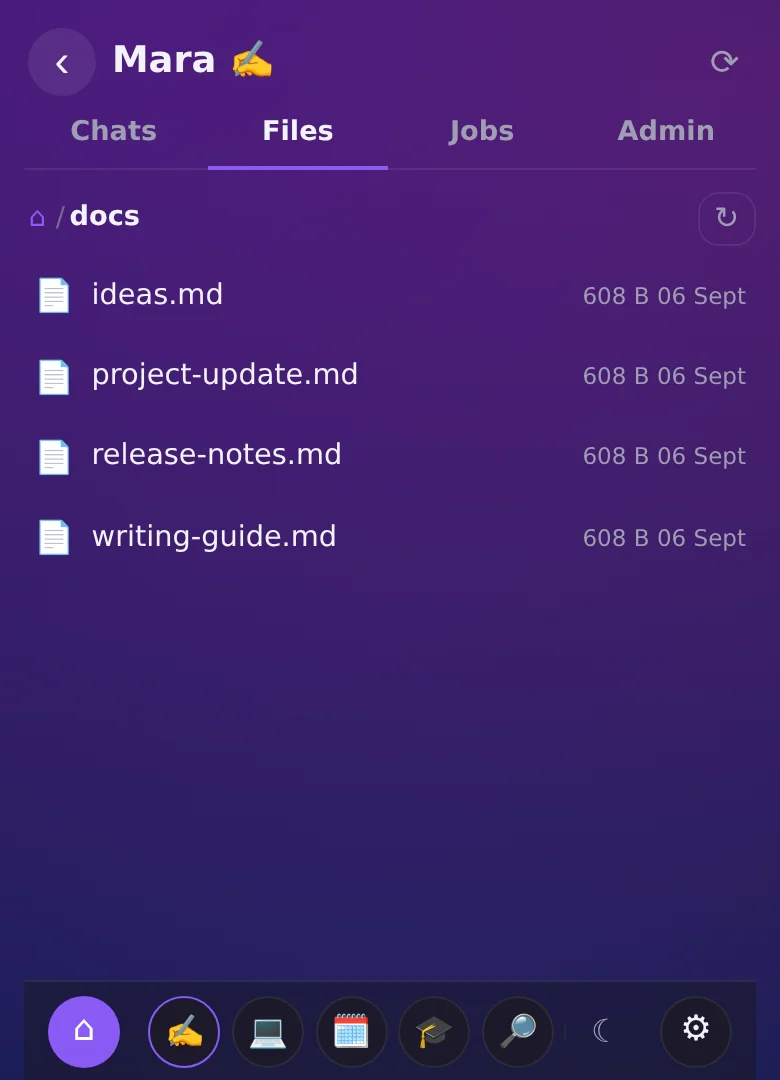
Work keeps going after I close the app — on a schedule, on an event, or handed to another assistant.
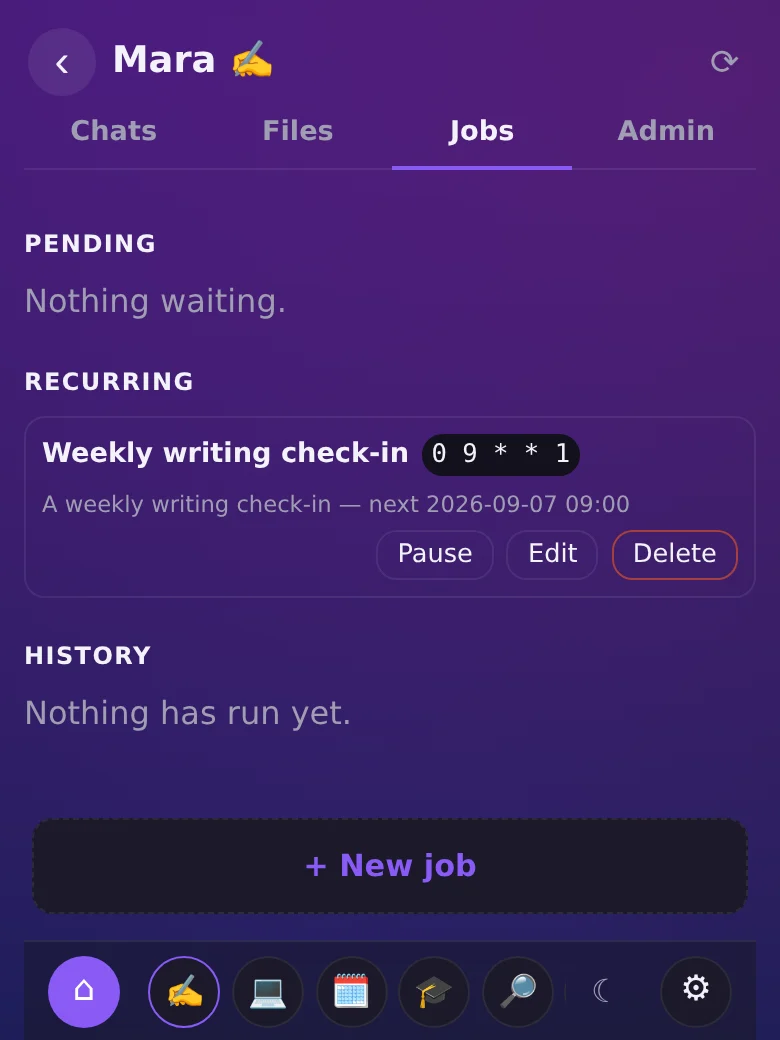
An agent run doesn’t need the app open; it happens on the server, and a push notification tells me when the reply has landed. I can also ask an assistant for a scheduled follow-up in plain language — “check in Friday at 18:00”, “every Monday morning” — and it registers a real job I can see, change or turn off in Jobs, not just a promise inside a conversation.
Assistants can also reach each other: one can ask another a question mid-task and use the answer, or hand off a small piece of work and get a reply back, each staying inside its own workspace and skills.
One small example of an external event reaching an assistant: my bathroom scale’s reading reaches Soma, who logs it in Soma Tracker. That integration has its own story.
On my phone, it opens instantly, reads offline, and takes voice or a photo.
Aura installs as an app and keeps a local copy of my chat history, so it opens straight to my conversations even offline or on bad wifi — no spinner, no “reconnecting” screen. What I write while offline queues and sends once the connection is back; starting an agent run still needs the server, since that part genuinely happens elsewhere.
I can dictate a message instead of typing it, have a reply read back to me, or attach a file or a photo from the camera — including forwarding a voice note for an assistant to transcribe and act on directly.
What building it gives me that an assistant off the shelf doesn’t.
None of these ideas — memory, tools, scheduled tasks — is exclusive to Aura; general-purpose assistants have versions of them too. What I get from building my own is deciding how they fit together for how I actually work: which assistant owns which responsibility, which of my own applications it can reach and how, when its work runs, and what the phone experience looks like when something about it bothers me.
That freedom comes with its cost written down, not hidden: I maintain the app, fix what breaks in it, and carry the dependency on whichever AI providers sit underneath.
Aura is what I use to build Aura.
One of the assistants inside Aura has the Aura repository as its workspace, with its own identity and skills for working on this codebase. Most of what this page describes was built through it: I open that chat from my phone, describe the change, and read back the files it touched — in the app the change is for. Releasing is a message in the same conversation, and the deploy waits for any run still in flight to finish before restarting, including the one that asked for it.
It’s the shortest feedback loop I’ve had on a side project. Something about the app annoys me while I’m using it, and the fix usually starts in the conversation where I noticed it — which is also why every rough edge gets found by me first.
What doesn’t move is the judgment: what to build, what to throw away, and what a good design actually looks like. An agent writes a lot of the code. Deciding whether the result is right is still the job.
I wrote about exactly that after an agent handed me code that worked and a design that didn’t. The Code Worked. The Design Was Still Wrong.
How it’s built, briefly.
The phone runs an installable React PWA. It talks to a .NET 10 backend on my VPS, which stores conversations and schedules in SQLite and spawns the agent CLI — Claude Code, Codex or Grok — as a child process, one vendor adapter each, parsing the stream of events it writes back. That process works with the assistant’s workspace files and tools on the same server, and reaches the vendor’s own AI provider for the model calls; speech-to-text and text-to-speech go to OpenAI.
The same trigger path handles a message from my phone, a scheduled job and an external event — they all start the same kind of agent run. The interface used to need a live connection just to render; the current PWA keeps a local copy of chat history instead, so reading what’s already there works offline. Starting new agent work still doesn’t.
Building Aura lets me change how these pieces work together: the assistants, their integrations and the experience on my phone. That freedom comes with the maintenance. I keep going because the next useful improvement usually starts with something that bothered me while using it.